How to Maximize Your Earnings with Play Rupees Game?
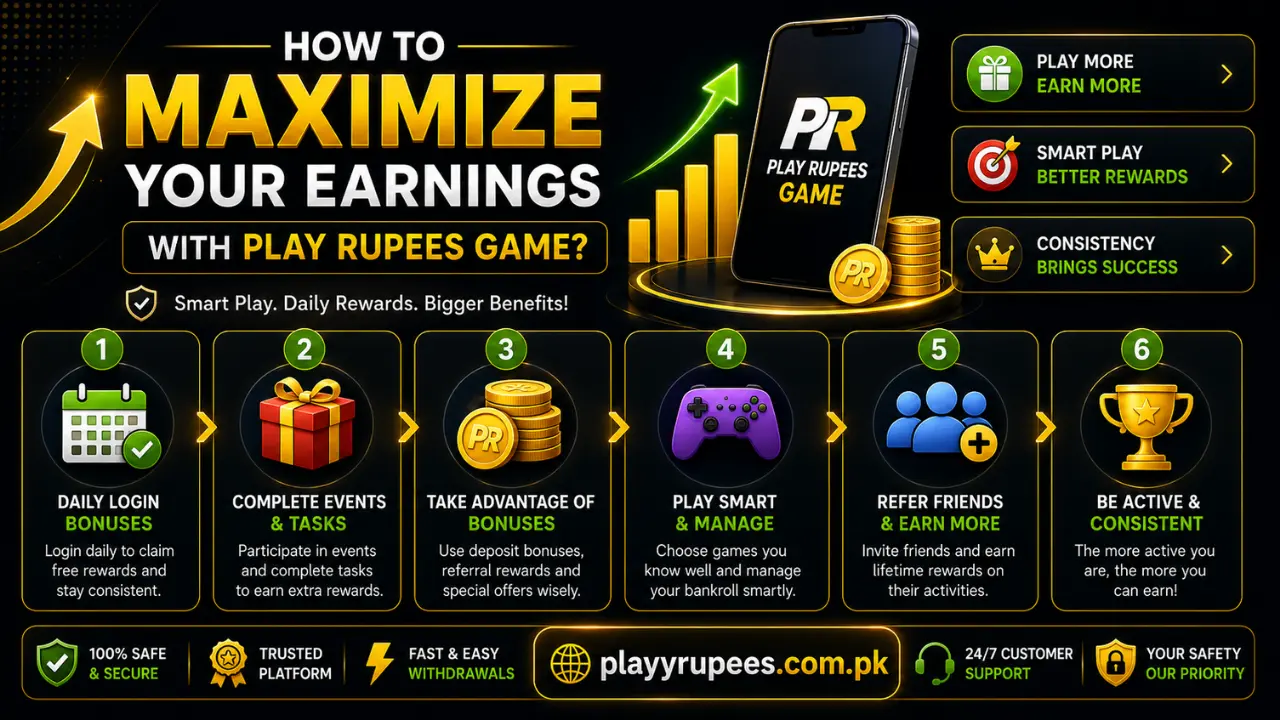
The best way to maximize your earnings with Play Rupees Game is to collect available rewards before spending more, compare promotion rules carefully, use only valid referrals and track your real account result. Large bonus amounts are promotional limits, not guaranteed returns. Set a fixed budget and treat the app as entertainment rather than regular income.
Start With the Offers That Need Less Spending
Do not begin by making repeated deposits. First, check the Promotions, Reward Center, Cashback and Invite Friends sections. These areas show rewards that depend on logging in, downloading the app, using a valid referral or completing a stated task. If you have not installed the app, follow the Play Rupees download guide and avoid modified APK files. An altered file can expose your account details or prevent rewards from being recorded. The following offers are displayed in the app:
| Offer | Displayed Value | What to Check |
|---|---|---|
| App download gift | Rs5,888 | Eligible version, new-user requirement and claim button |
| First deposit | 129% | Minimum amount, eligible activities and withdrawal rules |
| Second deposit | 99% | Whether it must follow the first offer |
| Third deposit | 69% | Claim period and maximum reward |
| Daily first deposit | 8% | Whether it replaces another deposit offer |
| Instant cashback | 3% | Eligible activity and credit time |
| Wednesday gift | Login before 10:00 PM | Open the promotion before the deadline |
| Red packets | 24 rounds, one each hour | Claim time and maximum amount |
| Hourly red packet | Up to Rs59,999 | Actual amount depends on the promotion result |
| Daily activity reward | Up to Rs288,999 | Eligible categories and required activity |
| Rescue fund | Up to 38% | Limited to eligible slots and fishing activity |
| VIP benefits | Upgrade bonus, daily pay and weekly pay | VIP level and activity conditions |
| VIP weekly reward | Up to Rs888,888 | Required level, calculation and withdrawal terms |
These are headline values. Open “Read more” and check the full conditions before taking part. A bonus in the account is not automatically the same as an amount available for withdrawal.
Use a Short Daily Reward Routine
A simple routine helps you avoid missing rewards without spending the whole day inside the app.
- Log in to your account and check the Promotions tab.
- Open Personal Center and select Reward Center.
- Check Receive Center for an active voucher. Press “Receive” before its countdown or deadline ends.
- Open Voucher Records to confirm that the reward was claimed.
- Check the hourly red packet only when you are already active. Do not add more funds just to wait for another round.
- On Wednesday, check the mystery gift before 10:00 PM.
- Open Cashback and confirm whether any completed activity qualifies.
- Before leaving, check Account Record and Profit And Loss.
One displayed daily login voucher had a deadline of September 30 2026. This shows why vouchers should be checked when received instead of being left for later.
Compare Deposit Offers Before Choosing One
The highest percentage is not always the most useful offer. A reward has little value if its conditions require more spending than you planned. Before using the deposit instructions, open the offer and write down:
- Minimum deposit
- Maximum bonus
- Eligible activities
- Required turnover
- Expiry time
- Withdrawal limit
- Whether another offer can be used at the same time
- What happens if the deposit is cancelled or refunded
The app advertises a 129% first-deposit offer and an 8% daily first-deposit offer. Do not assume they stack. Select one only after checking which offer has clearer and easier conditions. The payment area displays Bank Transfer, Easypaisa, JazzCash and OnePay. Confirm which method is active in your account, use the name shown on the deposit screen and save the transaction receipt. Never transfer funds to an account sent through an unofficial message.
Use the Referral Program Correctly
The Invite Friends dashboard separates “Registers” from “Valid Referral.” This means a person creating an account does not automatically complete the referral requirement. The detailed referral card shows four reward parts:
- Rs388 for each qualifying invite
- 0.60% activity commission
- 0.80% deposit commission
- Rs1,000,000 goal-completion bonus
Another heading displays Rs20,000 for a successful invitation, so confirm what task unlocks that amount. Do not present it to friends as a fixed payment. For better referral results:
- Open Personal Center and select Invite Friends.
- Copy your own referral link using the copy button. Do not type it by hand.
- Explain that rewards depend on the app’s rules.
- Ask the person to complete registration through the same link.
- Check “Registers” and “Valid Referral” separately.
- Review the Rewards, Earnings, Records and Invited List tabs.
- Confirm whether the reward arrives as balance, cash credit or a deposit coupon.
Do not create duplicate accounts or ask someone to register only to trigger a reward. Such activity can fail the valid-referral check.
Track Your Real Result, Not the Reward Headlines
A large reward banner does not show whether your account is actually ahead. Use the built-in Account Record and Profit And Loss sections to check the full result. Use this calculation at the end of each week: Net result = current balance + completed withdrawals − total deposits − opening balance Do not add a bonus again if it is already included in the current balance. Counting it twice creates a false result. Keep a short record with four items:
| Item | What to Record |
|---|---|
| Starting balance | Balance before the first session |
| Deposits | Every completed transaction |
| Withdrawals | Only completed requests |
| Ending balance | Balance after all activity stops |
If the net result is negative, a displayed cashback or future reward does not change that result until it is actually credited.
Do Not Spend More to Unlock a Reward
Deposit percentages, rescue funds and VIP levels can encourage extra activity. Set your limit before opening the app and do not raise it to reach the next promotion. Use three personal limits:
- Money limit: The total amount you are prepared to spend.
- Time limit: The time you will remain active.
- Stop point: The balance or loss level at which you close the app.
The rescue fund advertises up to 38% for eligible losses. Treat it only as a possible credit after you stop. Continuing to spend because a rescue reward exists can increase the loss faster than the credit. The same rule applies to VIP benefits. Upgrade bonuses, daily pay and weekly pay are useful only when you already meet the requirements. Do not spend extra solely to reach another VIP level.
Claim and Check Every Reward
After pressing a claim button, confirm that the reward reached the correct place. Check these areas:
- Receive Center for claimable vouchers
- Voucher Records for claimed items
- Cashback for return credits
- Account Record for balance changes
- Invite Friends for referral status
- Internal Message for account notices
- Mailbox for promotion updates
Take a screenshot of the offer rules and the completed claim. Keep the date, promotion name and transaction number visible. This gives you clear information if a credit is missing. If a reward does not appear, refresh the account once, check Voucher Records and Account Record, and then use the contact page. Send the promotion name, claim time, account ID and screenshot. Never send your password or verification code.
Withdraw in a Controlled Way
A reward only becomes useful after it meets the withdrawal rules. Check the withdrawal process before increasing your balance. Before submitting a request:
- Confirm your account name and payment details.
- Check whether the bonus has an unfinished requirement.
- Enter the amount carefully.
- Save the request number or screenshot.
- Check Account Record for the final status.
- Wait for the first request to finish before sending another one.
The promotion screens do not state a minimum withdrawal or fixed processing time. Check the active account rules instead of assuming an instant payment. Do not return a completed withdrawal to the app simply because another offer appears.
A Practical Order for Using Promotions
Use promotions in this order to limit unnecessary spending:
- Claim login vouchers and time-based gifts.
- Check the app-download gift if you qualify.
- Use your genuine referral link and wait for the referral to become valid.
- Collect cashback already created by completed activity.
- Compare deposit offers only when you had already planned to deposit.
- Use VIP rewards only after reaching the level through normal activity.
- Review Profit And Loss before starting another session.
This order puts low-cost rewards first and deposit-based offers last.
Mistakes That Reduce Your Final Result
Chasing the Largest Percentage
A 129% headline looks better than 8%, but the smaller offer can have simpler conditions. Always compare the full rules.
Treating Every Signup as a Valid Referral
The dashboard counts registrations and valid referrals separately. Check the valid count before expecting Rs388 or a commission.
Forgetting Voucher Deadlines
A voucher left in Receive Center can expire. Claim it and verify the entry in Voucher Records.
Counting Bonuses Twice
If a reward is already part of the displayed balance, do not add it again when calculating your result.
Playing More for Cashback
A 3% cashback offer returns only a small part of eligible activity. It does not remove the original risk.
Depending on Rescue Funds
The advertised 38% is an upper limit for eligible activity. It should never be used as a reason to continue after reaching your limit.
Ignoring Account Records
Check Profit And Loss and Account Record before making another deposit. The balance alone does not show how much you have already added or removed.
FAQs
Can Play Rupees earnings be guaranteed?
No. Rewards depend on eligibility, promotion rules and account activity. Results from games are not fixed, and promotional amounts should not be treated as regular income.
Can I claim the 129% and 8% deposit offers together?
The displayed information does not confirm that both offers stack. Open “Read more” and check the current terms and conditions before choosing one.
How do I claim a daily login reward?
Log in, open Personal Center, select Reward Center and check Receive Center. Press “Receive” before the deadline, then confirm it under Voucher Records.
Why is my referred friend not counted?
Check whether the person appears under “Registers” or “Valid Referral.” Only a referral that meets the stated requirements should be expected to unlock a reward.
Is Rs388 given for every invitation?
The detailed card shows Rs388 per qualifying invite. Another heading displays Rs20,000 for a successful invitation, so check the task and validity rules before relying on either amount.
How do I know if I have made a real profit?
Add the current balance and completed withdrawals, then subtract total deposits and the opening balance. Confirm the figures through Account Record and Profit And Loss.
Should I keep playing to receive the 38% rescue fund?
No. Stop when you reach your limit. Check eligibility afterward and treat any rescue credit as a partial return, not a reason to increase activity.
What should I do if a bonus is missing?
Check Voucher Records, Cashback and Account Record first. If no credit is shown, contact support with your account ID, promotion name, claim time and screenshot.